How to Grant Access to Google Analytics 4 (GA4)
Time required: 2–3 minutes
Access level needed: Editor
- Go to analytics.google.com
- Select the correct GA4 property.
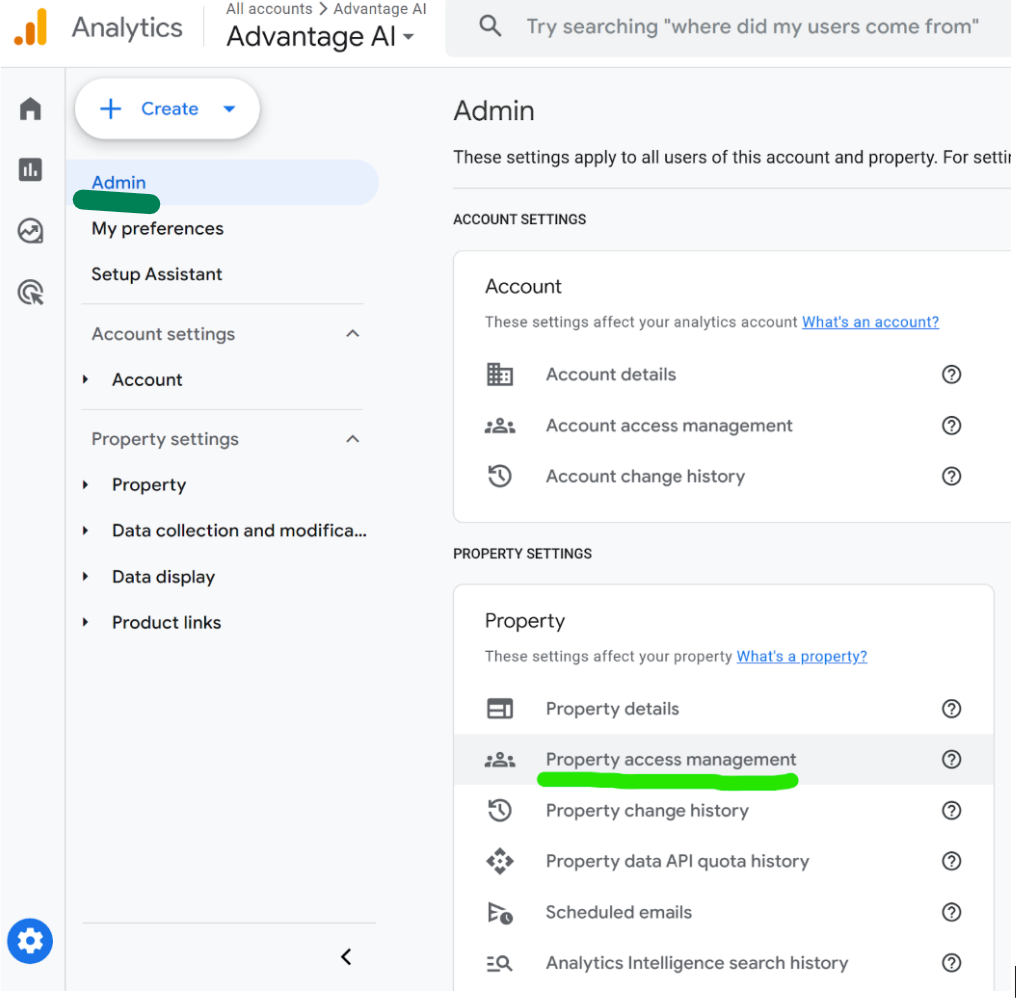
- Click Admin (gear icon in bottom-left).
- Under Property Access Management, click + → Add users.
- Enter
AEO@AdvantageLabs.ai. - Set role to Editor.
- Click Add.
✅ Access is granted immediately.
Still stuck? Use the chat below or contact us.